🩵Systems
🌈Glow System (Change Color)
Learn how to use the glow system
Author S37uPPublished 2026-03-24 01:37:52
🌈 Custom Glow System
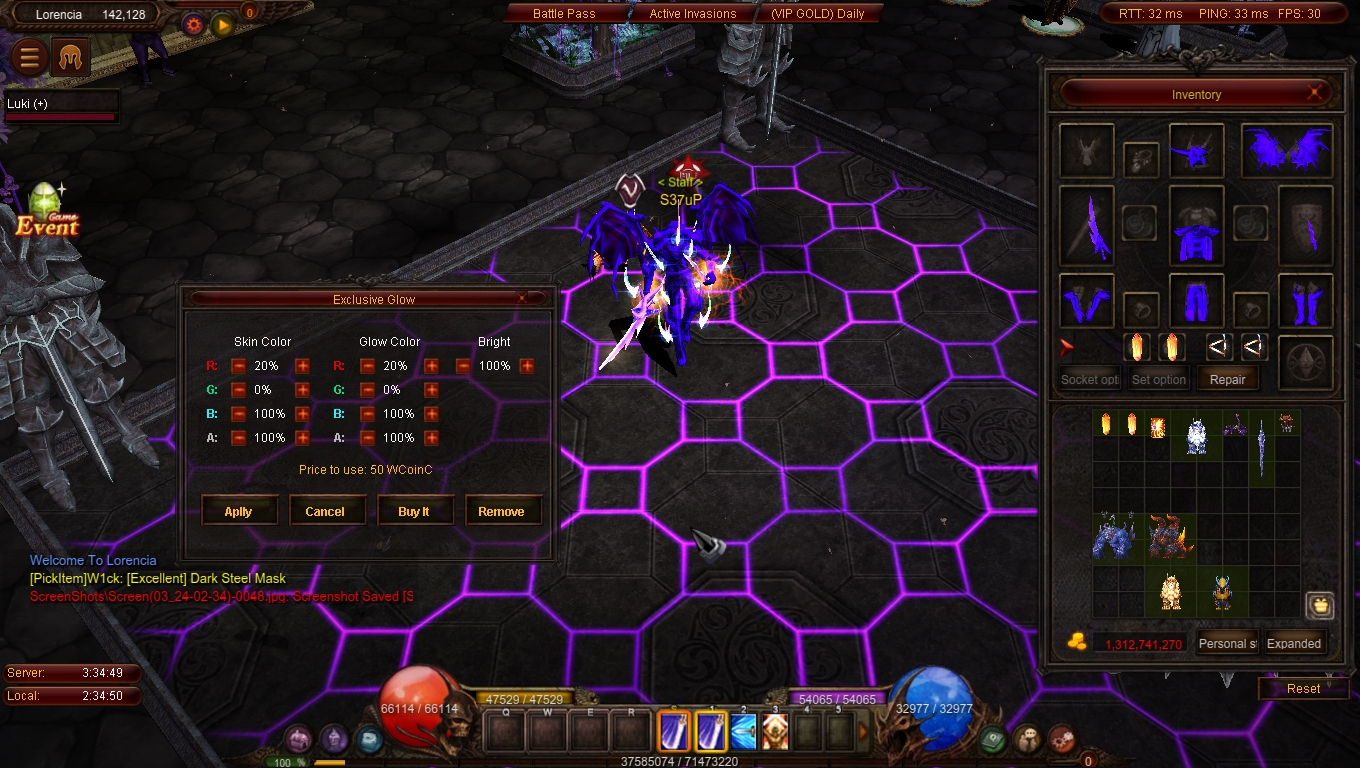
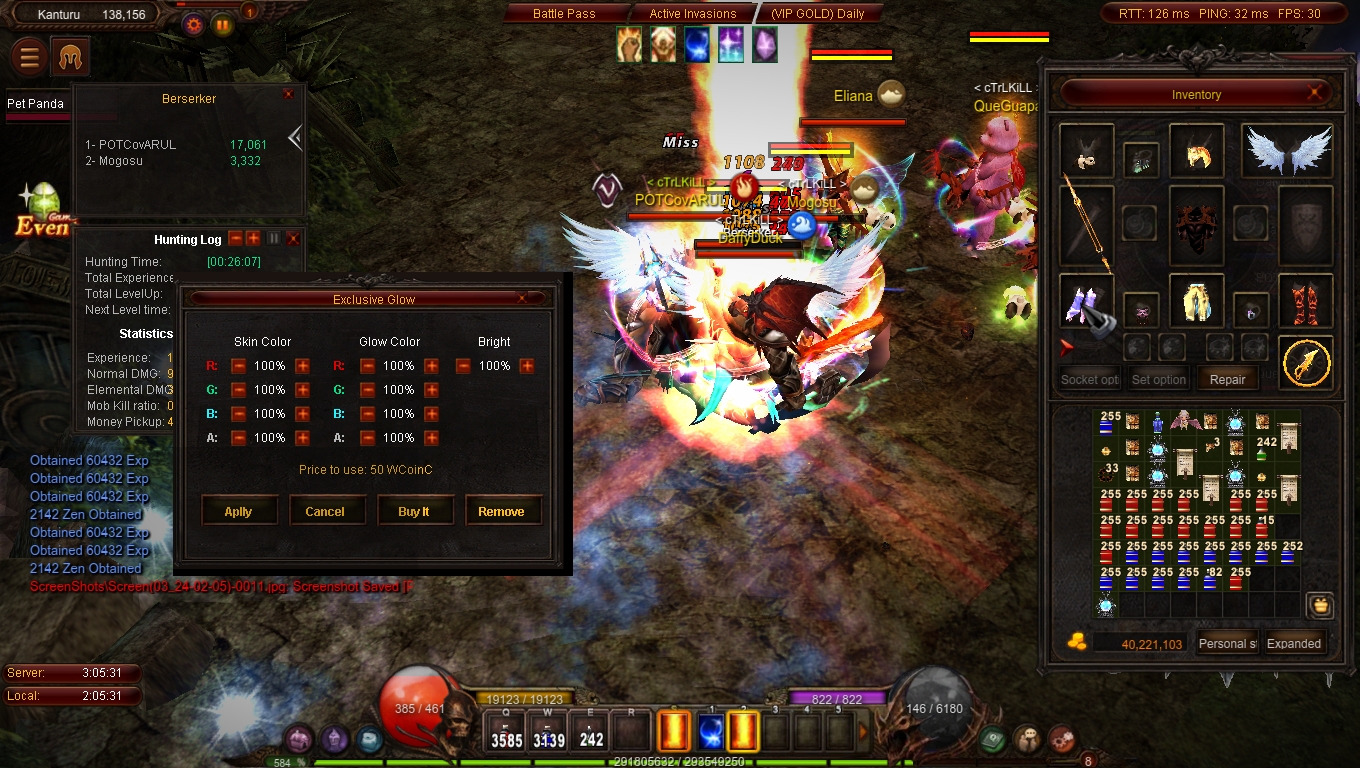
Change your equipment glow color, preview it, and apply or remove it anytime.
🛠️ How to Use Custom Glow
- ⌨️ Command shortcut: ALT + CTRL + RIGHT CLICK on an equipment item
- 👁️ Press Apply to preview the selected color
- 🛒 Press BUY to set the color permanently
- ♻️ Press Remove to return the color to its original state
🖼️ System Preview
🎨 Color Presets
| Name | Hex | Percent RGB | Preview |
|---|---|---|---|
| ⚫ Black | #000000 | rgb(0%, 0%, 0%) | |
| 🔵 Navy | #000080 | rgb(0%, 0%, 50%) | |
| 🔵 Blue | #0000FF | rgb(0%, 0%, 100%) | |
| 🟢 Green | #008000 | rgb(0%, 50%, 0%) | |
| 🟦 Teal | #008080 | rgb(0%, 50%, 50%) | |
| 🟦 Aqua | #00FFFF | rgb(0%, 100%, 100%) | |
| 🟩 Lime | #00FF00 | rgb(0%, 100%, 0%) | |
| 🔷 Dark Blue | #00008B | rgb(0%, 0%, 55%) | |
| 🔹 Medium Blue | #0000CD | rgb(0%, 0%, 80%) | |
| 🌊 Deep Sky Blue | #00BFFF | rgb(0%, 75%, 100%) | |
| 🩵 Dark Turquoise | #00CED1 | rgb(0%, 81%, 82%) | |
| 🌱 Spring Green | #00FF7F | rgb(0%, 100%, 50%) | |
| 🟫 Maroon | #800000 | rgb(50%, 0%, 0%) | |
| 🟣 Purple | #800080 | rgb(50%, 0%, 50%) | |
| 🫒 Olive | #808000 | rgb(50%, 50%, 0%) | |
| ⚪ Silver | #C0C0C0 | rgb(75%, 75%, 75%) | |
| ⚪ Gray | #808080 | rgb(50%, 50%, 50%) | |
| ⚪ White | #FFFFFF | rgb(100%, 100%, 100%) | |
| 🔴 Red | #FF0000 | rgb(100%, 0%, 0%) | |
| 🟠 Orange | #FFA500 | rgb(100%, 65%, 0%) | |
| 🟡 Yellow | #FFFF00 | rgb(100%, 100%, 0%) | |
| 🩷 Fuchsia | #FF00FF | rgb(100%, 0%, 100%) | |
| 🌸 Pink | #FFC0CB | rgb(100%, 75%, 80%) | |
| 🟦 Slate Blue | #6A5ACD | rgb(42%, 35%, 80%) | |
| 💙 Royal Blue | #4169E1 | rgb(25%, 41%, 88%) | |
| 🌽 Cornflower Blue | #6495ED | rgb(39%, 58%, 93%) | |
| 🧊 Cyan | #00FFFF | rgb(0%, 100%, 100%) | |
| 🪲 Dark Cyan | #008B8B | rgb(0%, 55%, 55%) | |
| 🌿 Sea Green | #2E8B57 | rgb(18%, 55%, 34%) | |
| 🍃 Medium Spring Green | #00FA9A | rgb(0%, 98%, 60%) | |
| 🌳 Forest Green | #228B22 | rgb(13%, 55%, 13%) | |
| 🍏 Lime Green | #32CD32 | rgb(20%, 80%, 20%) | |
| 🟢 Dark Green | #006400 | rgb(0%, 39%, 0%) | |
| 🥇 Gold | #FFD700 | rgb(100%, 84%, 0%) | |
| 🥈 Midnight Blue | #191970 | rgb(10%, 10%, 44%) |